
Customer Service
We offer you multiple channels for communication and assistance, whether you're looking for a quick answer or need direct support from the support team.
Mobile: 0563588085
Email: [email protected]
You can also submit a complaint through the Complaint System page.
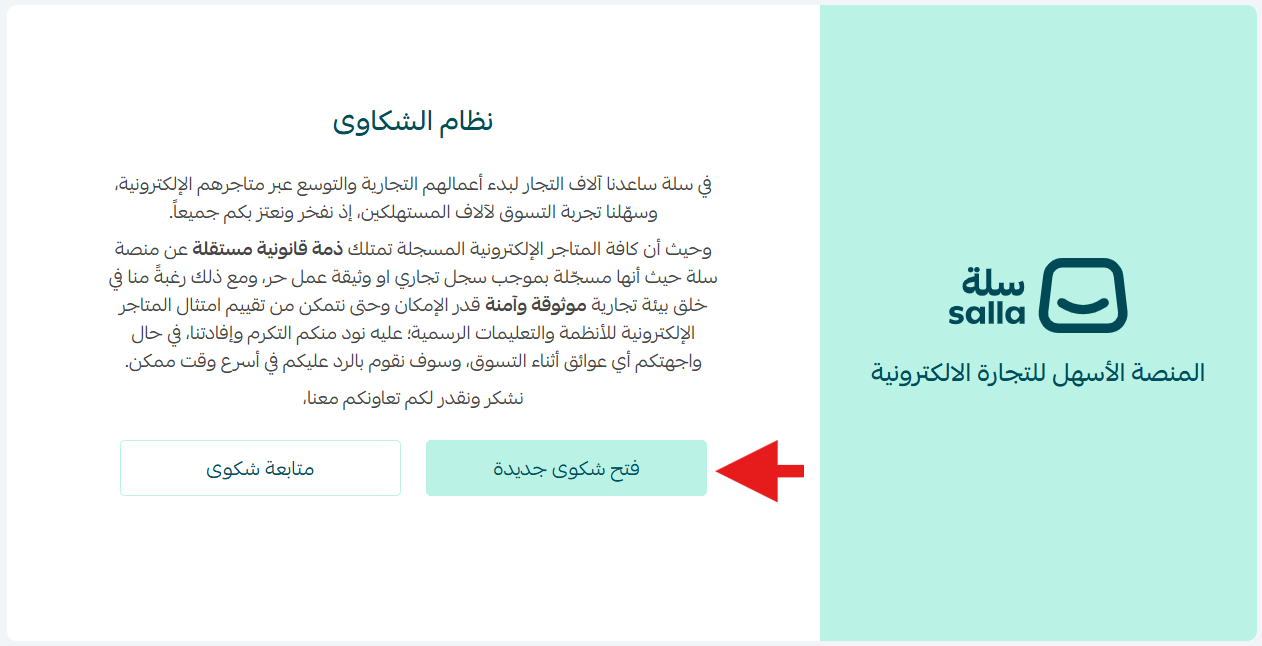
Go to the Complaint System page and click “Open a New Complaint.”
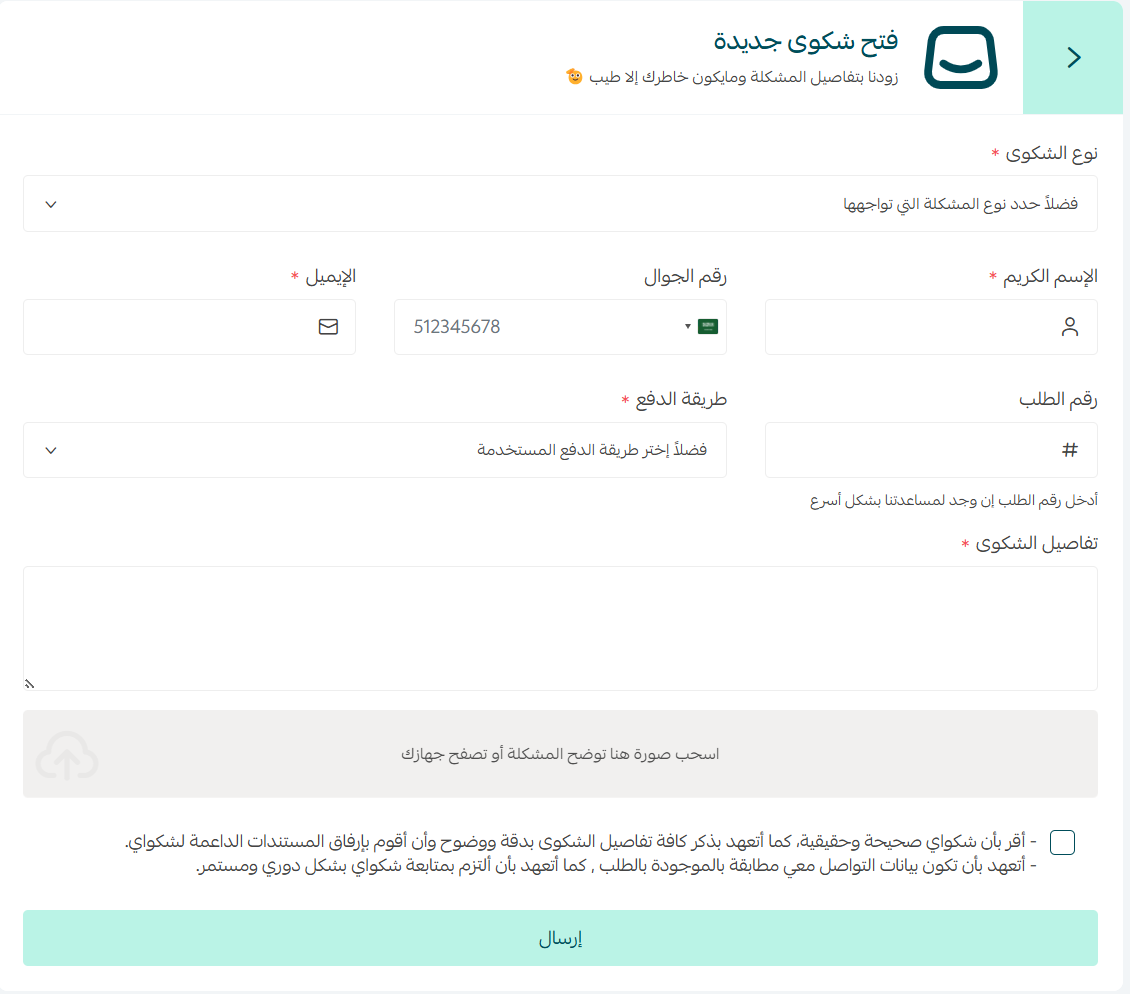
Enter the details of your complaint, attach images, and agree to the declaration.
The complaint has been successfully submitted.
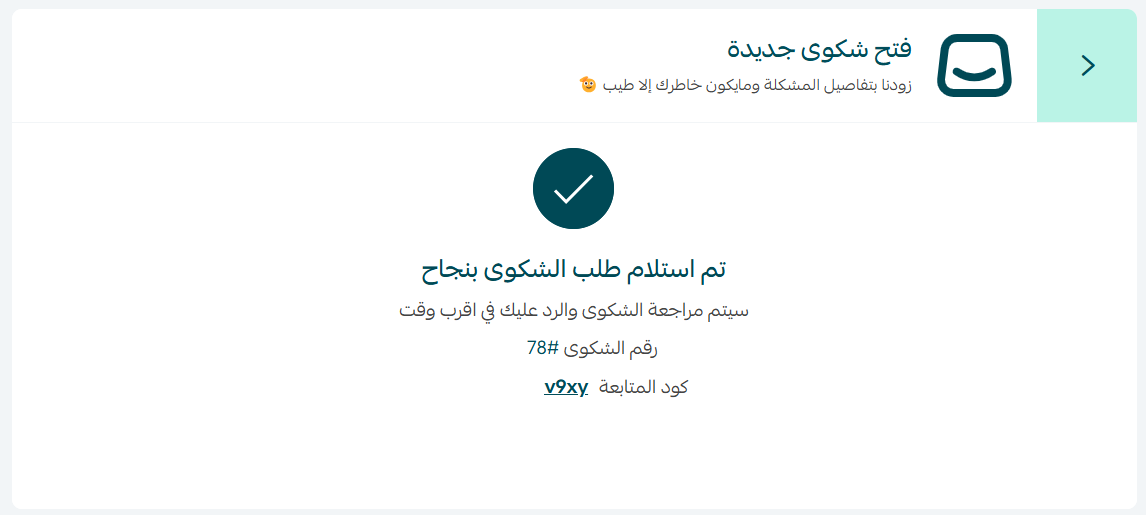
Make sure to save the complaint number and tracking code to follow up on the progress of your complaint.
Follow-up or Closing the Complaint
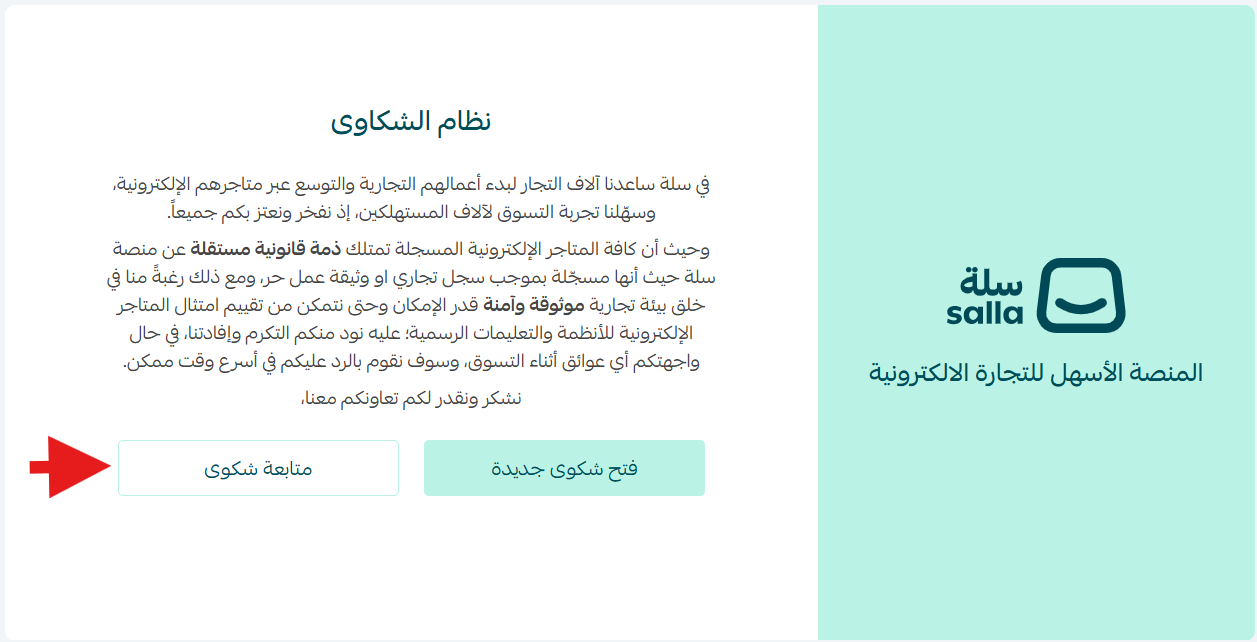
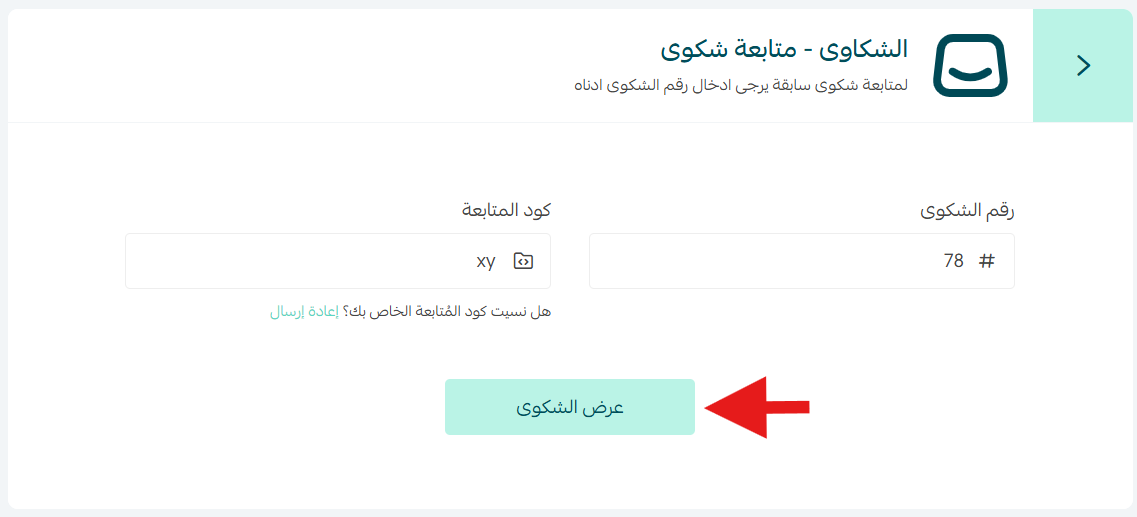
To follow up on a complaint, go to the Complaint System page and click “Follow Up Complaint.”
After entering the complaint number and tracking code, click “View Complaint.”
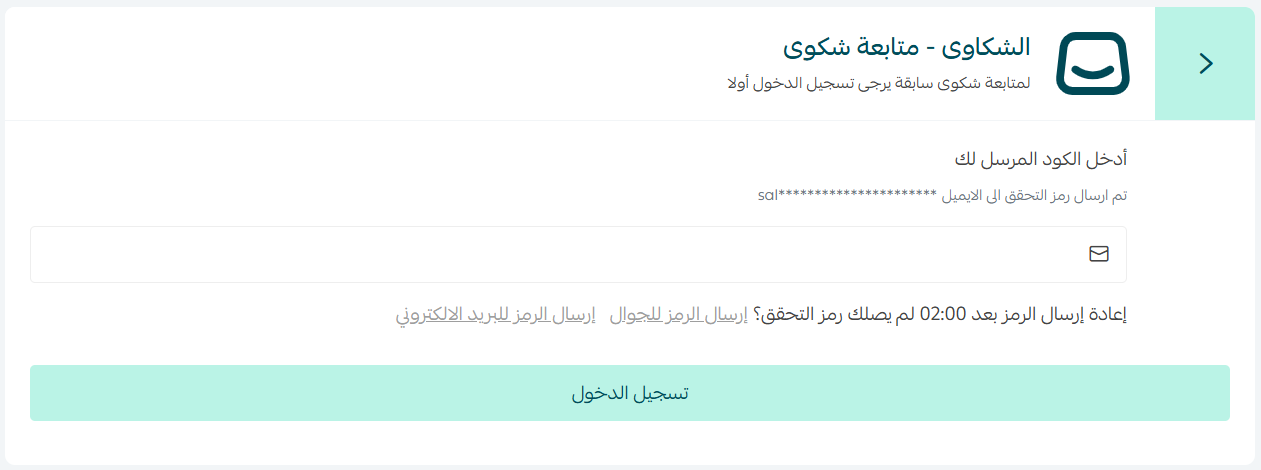
Enter the verification code to proceed with the follow-up.
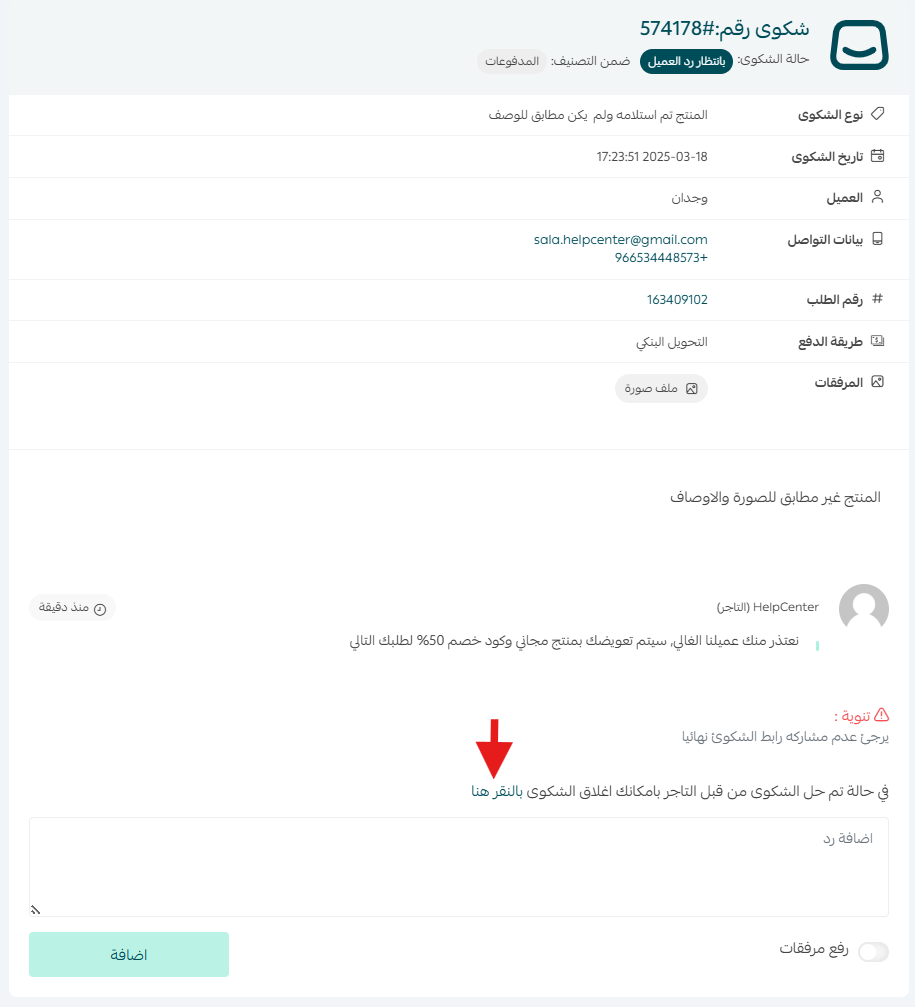
You will be directed to the complaint page where the latest responses from the merchant will be displayed. The customer can add a new response or agree to the settlement by closing the complaint by clicking “Click Here.”
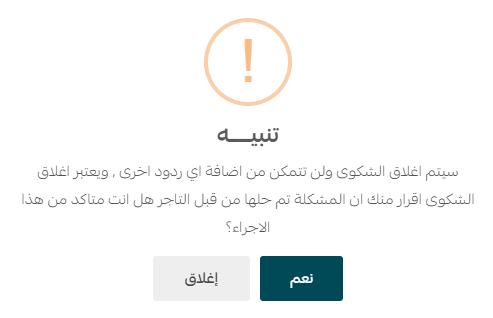
When choosing to close the complaint, a confirmation alert will appear. Click “Yes” to confirm.
The customer will be required to enter the verification code sent to their email and click “Close Complaint.”
The complaint status will be immediately updated to “Closed.”
Frequently Asked Questions
What are the current complaint status notifications?
- Under Review by Salla: The initial status after the complaint is opened by the customer. During this stage, the data is reviewed by the Salla team.
- Awaiting Merchant Response: Waiting for the merchant to respond and handle the complaint.
- Awaiting Customer Response: Waiting for the customer to respond and handle the complaint.